

Japanese-style interval walking and running
Walk fast.
Walk slow.
Repeat.
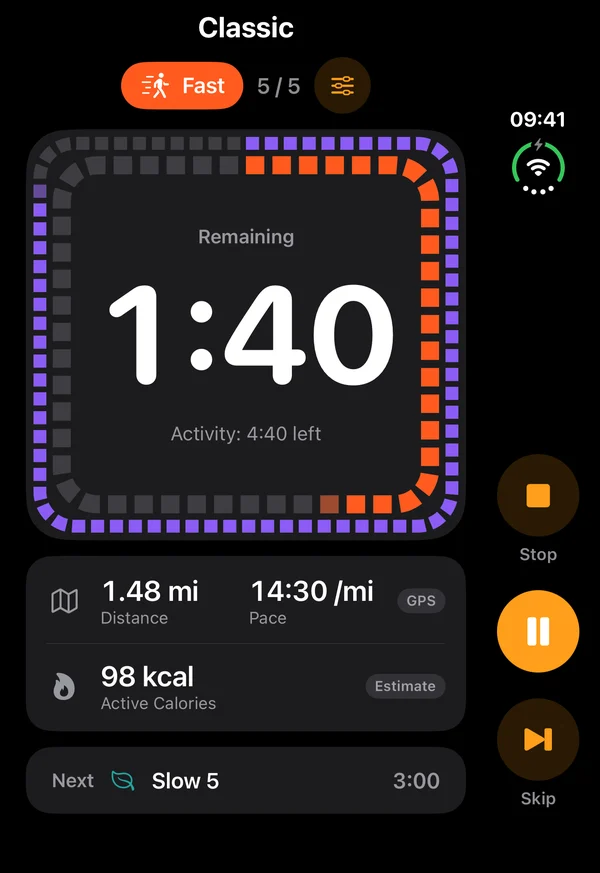
Stepiness times every interval and tells you when to change pace — with voice cues, a metronome for the fast part and calm breathing for the slow one. The walk stays on your Lock Screen, so the phone can stay in your pocket.

 Coming soon
The method
Thirty minutes that change pace
Stepiness is based on Japanese Walking, a simple interval walking method: walk fast for 3 minutes, then slowly for 3 minutes, and repeat the cycle five times.
The method comes from interval walking research in Japan and suits most fitness levels.
- Fast3minBrisk walking, slightly out of breath
- Slow3minEasy pace to recover
- Rounds×5About 30 minutes with a short warm-up
Classic preset · 30:30 · warm-up, then 5 rounds
Inside the app
Simple on purpose
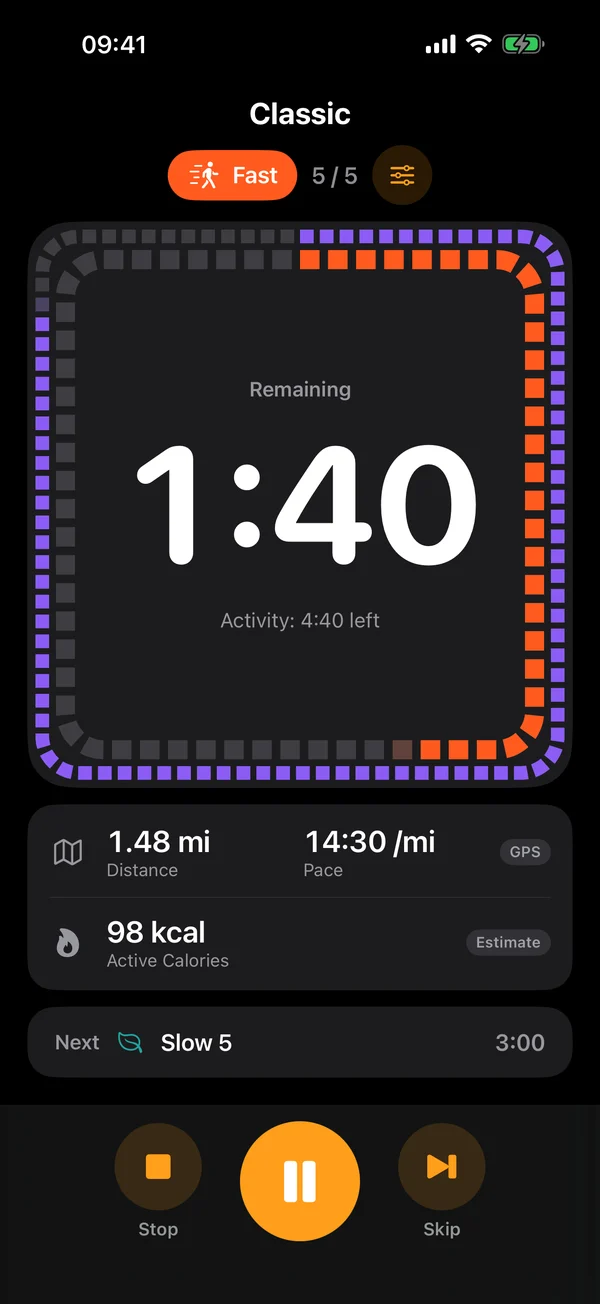
Large numbers, clear colours, one tap to start. Built to be read at a glance while you walk.
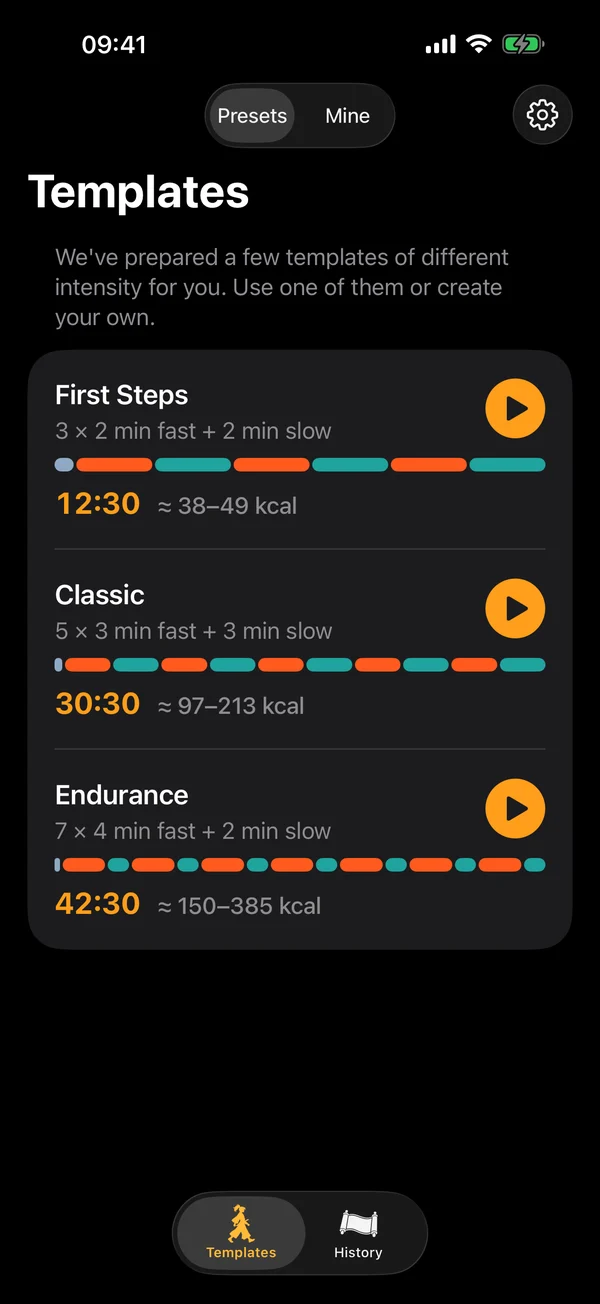
- Start from a preset
- Know when to change pace
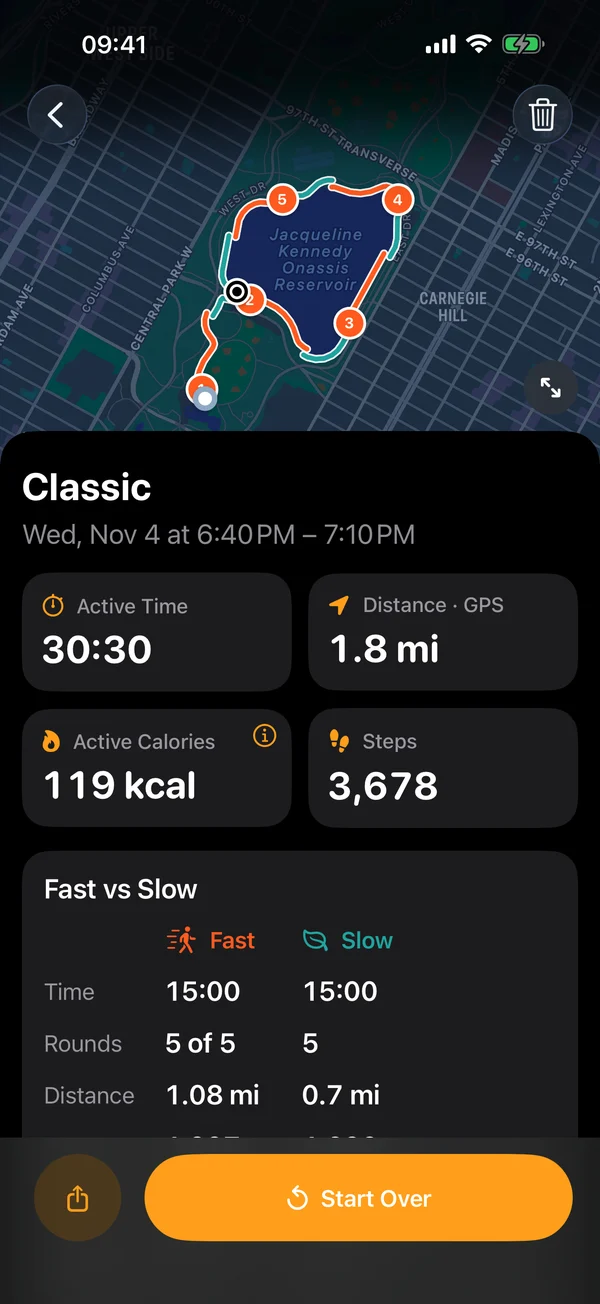
- See every interval
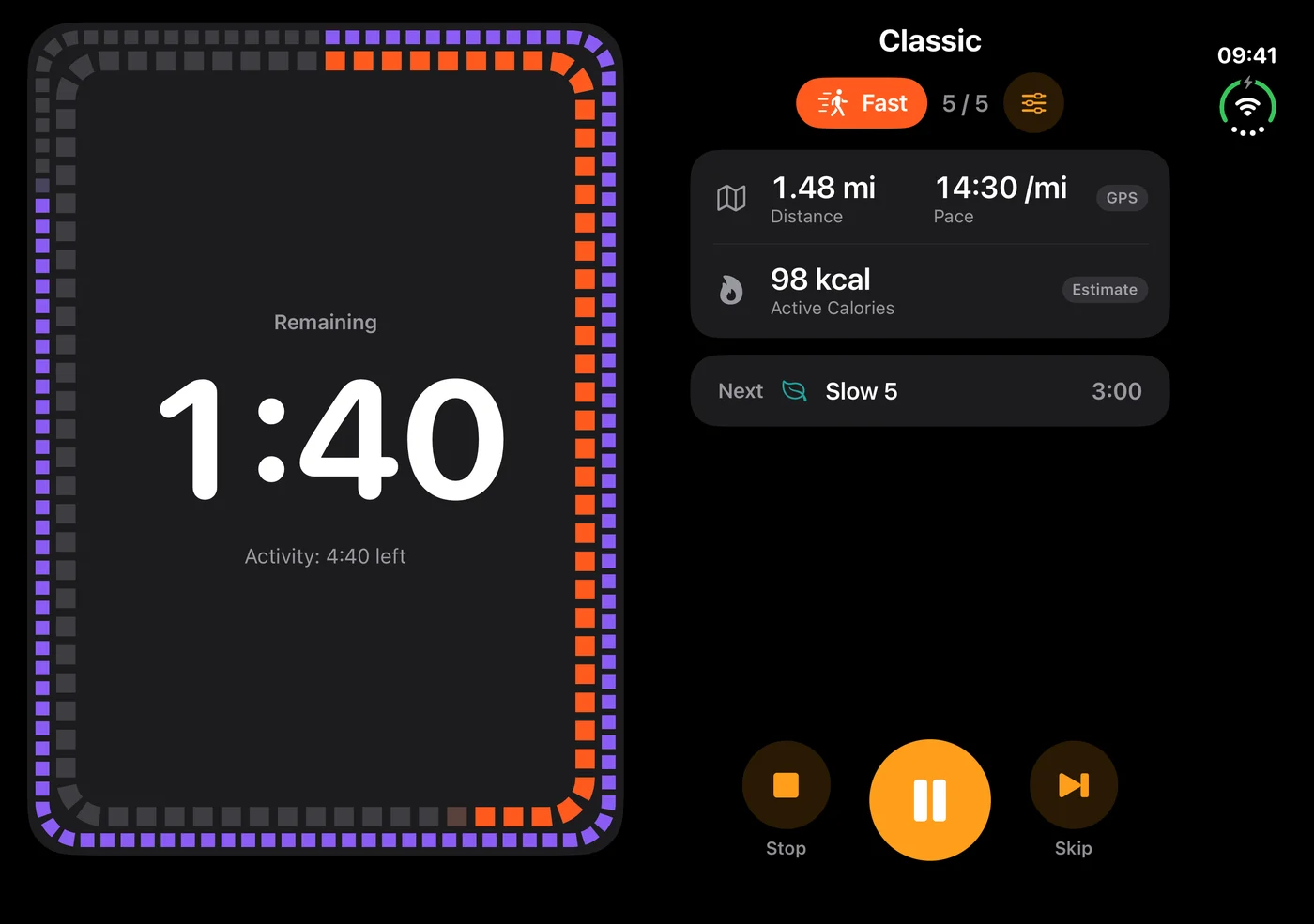
Made for iPhone Duo
Open it like a book: the timer on one page, your pace, steps and controls on the other. The route map fills a page beside your numbers, the calendar sits next to the day's walks – nothing runs across the fold. Closed, it is the iPhone app you know.
Features
Your walk, your way
Every part of your walk can be tailored to you – and changed anytime.

Rounds
Choose how many fast + slow rounds make up your walk.

Fast & Slow intervals
Start with the classic 3 + 3 or set your own durations.

Start & End cues
A voice or a sound tells you when each interval starts and when the walk is done.

Rhythm for fast walking
A metronome or voice counting helps you keep your target pace.

Checkpoints
A short beep at regular moments of fast walking keeps you on track.

Relax while walking slowly
Breathing exercises or calm music help you recover during slow intervals.
Why interval walking
Small effort, steady progress
 01
Build endurance
Interval walking can improve aerobic fitness and endurance.
 02
Support cardiovascular health
Regular interval walking has been associated with improvements in cardiovascular fitness and, in some studies, blood pressure.
 03
Stay active & burn energy
Alternating intensity can make a 30-minute walk more engaging and increase energy expenditure.
Your results depend on your fitness, intensity and consistency.
Privacy
Your walks stay yours
History, routes and body measurements live on your iPhone and are never sent anywhere. Location and motion access are optional and asked only when a walk that uses them starts.
- No account
- No ads
- No tracking
- Data stays on your iPhone
Do I need an account?
No. There is no sign-up and no login. Open the app and start walking.
Does it work with the screen locked or with my music?
Yes. Cues, the metronome and breathing keep playing with the screen locked, and they mix with Spotify, Apple Music or podcasts instead of stopping them.
Do I have to allow location and motion access?
No. Both are optional and asked only when a walk that uses them starts. Location is used only to record your route, distance and pace while an activity runs with Record Route on; Motion & Fitness is used only to count steps with Track Steps on. Without them the timer, cues and history still work.
Can I see the timer on the Lock Screen?
Yes. While you walk, the phase, round and time left are on the Lock Screen and in the Dynamic Island – no need to unlock. With Premium it also shows what's next and your figures. You can turn it off in Settings › App Settings.
Does it work on iPhone Duo?
Yes. Open, every screen is laid out as two pages – the timer on one, your pace, steps and controls on the other – with nothing across the fold. Closed, it is the iPhone app you know.
Where is my data stored?
On your iPhone. Your templates, history, route and body measurements are stored in the app on your device and are never sent to us.
Can I change the intervals?
Yes. Start from one of the presets (First Steps, Classic, Endurance) or create your own template: warm-up, fast and slow durations, number of rounds, cues and sounds. Saving your own templates is part of Premium.
Which languages does it support?
English, Russian, German, Spanish, French, Italian, Polish, Portuguese (Brazil), Japanese, Chinese (Traditional), Korean, Turkish, Dutch, Thai, Vietnamese and Indonesian. Voice cues and counting are prerecorded with an AI voice and built into the app, so they work without internet.

Start your first walk
Coming soon